
Restaurant employee scheduling
Restaurant Staff Scheduling Guide
Restaurant staff scheduling works best when the roster is built from the actual service rhythm, not copied forward blindly. Use this guide to connect employee schedules, demand, leave, labor cost, approvals, and final records.
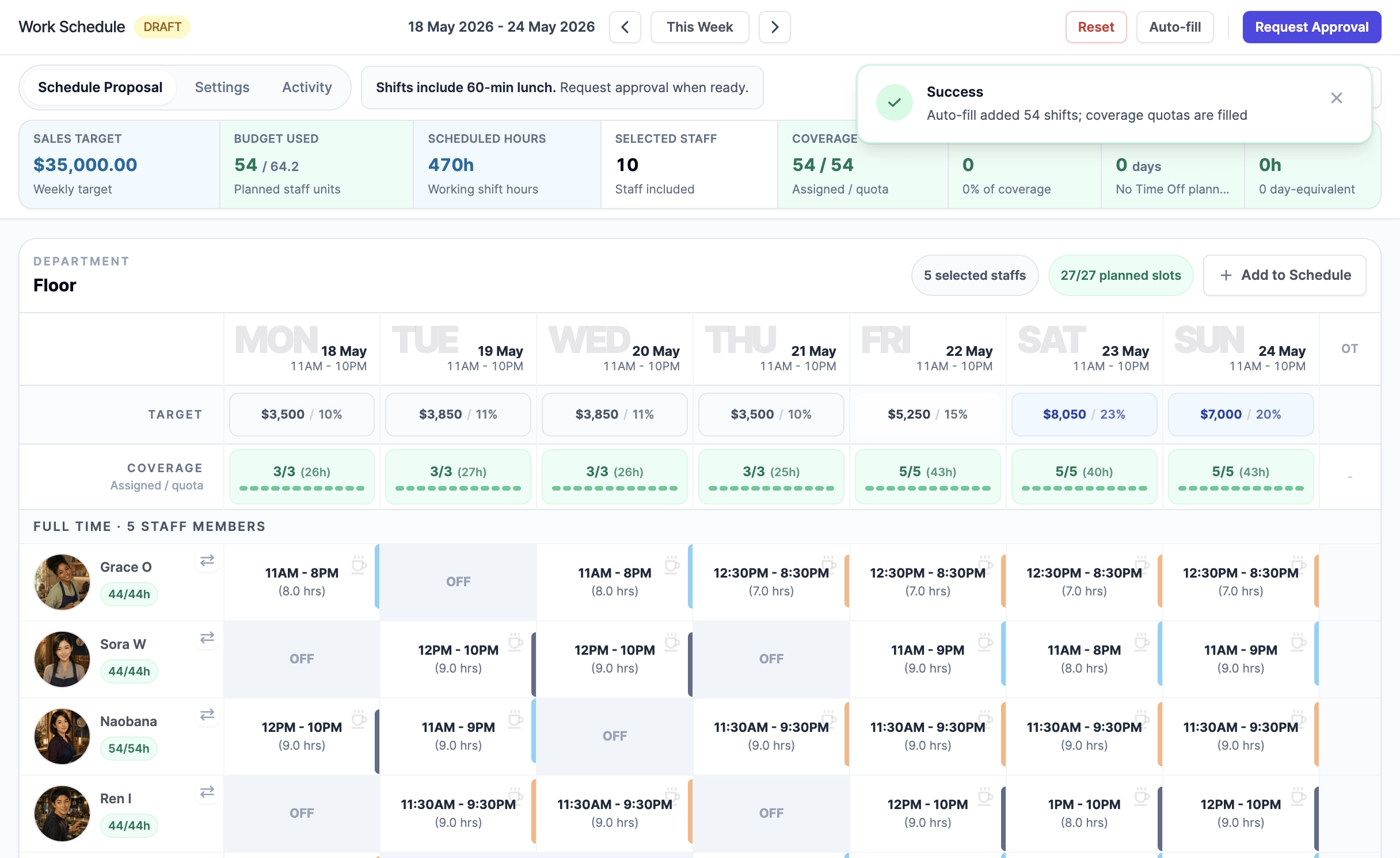
Start with the service windows
Map the week by service period first: opening prep, lunch, tea, dinner, close, and any late service. A restaurant work schedule becomes easier to control when managers can see where coverage is actually needed before individual shifts are assigned.
- Separate public operating hours from internal prep and close work.
- Treat split periods and breaks as explicit scheduling constraints.
- Keep day-specific patterns visible instead of using one all-week default.
Plan demand before assigning names
Sales targets, known booking demand, public holidays, and recurring events should shape the staffing target before managers start dragging shifts around.
- Use covers, booking count, or sales targets to spot pressure periods.
- Keep demand indicators aggregate so customer details stay out of schedule surfaces.
- Compare planned coverage against demand timing before approval.
Control labor cost while filling gaps
The cheapest roster is not always the safest roster. Good scheduling weighs coverage, staff capacity, employment type, overtime, and expected labor percentage together.
- Check labor percentage while the schedule is still a draft.
- Avoid hidden overtime created by copying last week's roster.
- Use approval snapshots so the signed-off plan remains traceable.