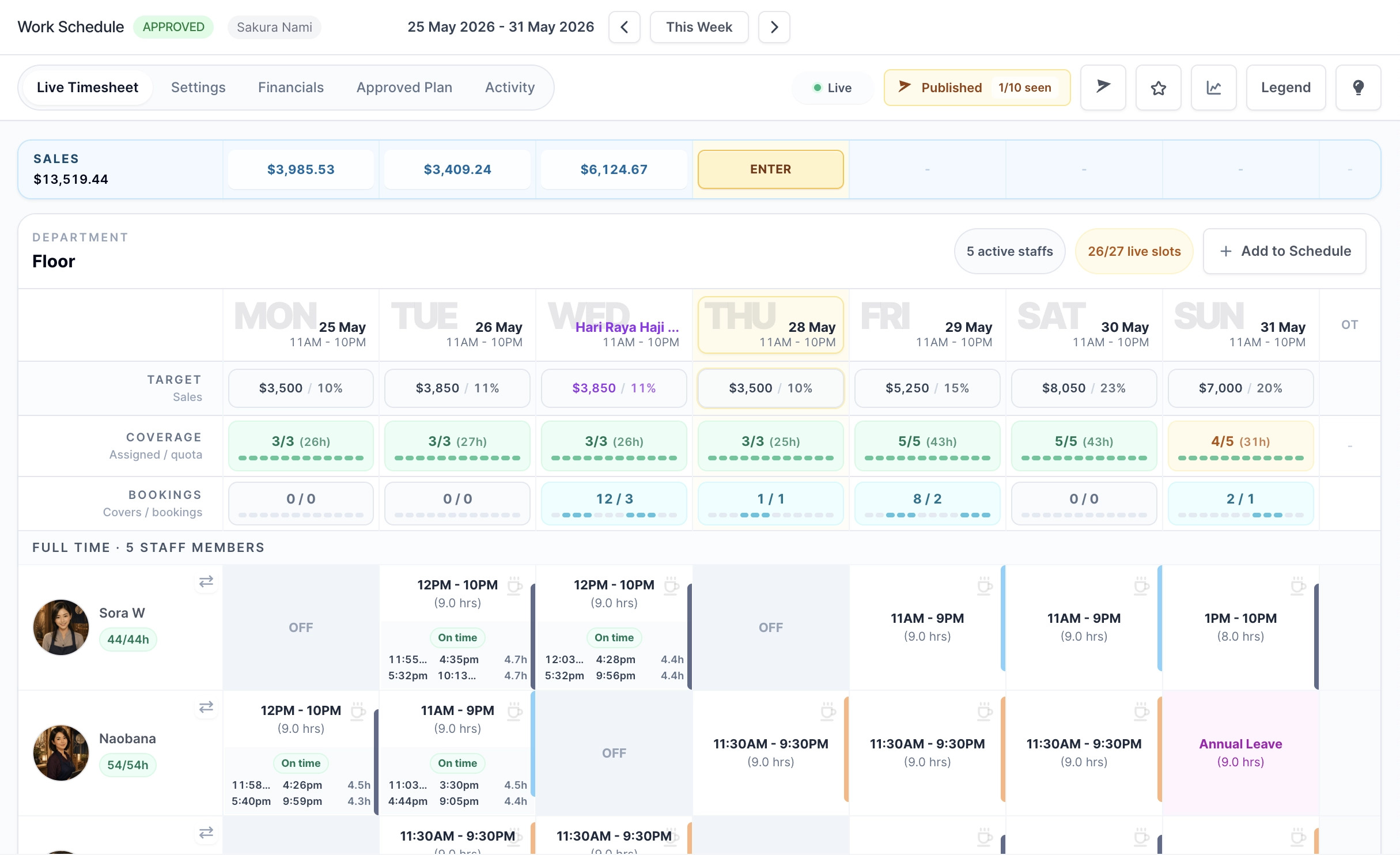
Roster Sync Pro live timesheet workspace

Platform

A clearer way to run profitable shifts.

RSP connects the moments that usually live in separate tools: restaurant staff scheduling, attendance, leave, sales, booking demand, labor cost, performance, approvals, a customer-facing profile, and final timesheets.

What makes RSP different

Six capabilities that compound into real savings.

The product is designed around the weekly business reality: managers need speed, owners need cost control, and staff need clear daily tools.

Employee scheduling

Autofill

Fill staff schedule coverage gaps in one click while considering staff capacity, existing shifts, overtime, and labor cost.

Recurring week speed

Saved templates

Save proven week blueprints and apply them again so managers do not rebuild similar timesheets from scratch.

Restaurant reservations

Native bookings

Accept customer bookings, protect capacity, manage the reservation queue, and surface booked covers in schedule planning.

Work history view

Performance evaluation

Evaluate staff from attendance reliability, punctuality, attributed sales, efficiency, and work status.

Reusable reporting

Data Export Center

Go beyond one-off CSVs with Excel workbooks, selected columns, source labels, saved presets, background downloads, scheduled reports, and owner visibility.

Business exposure

Public Profile

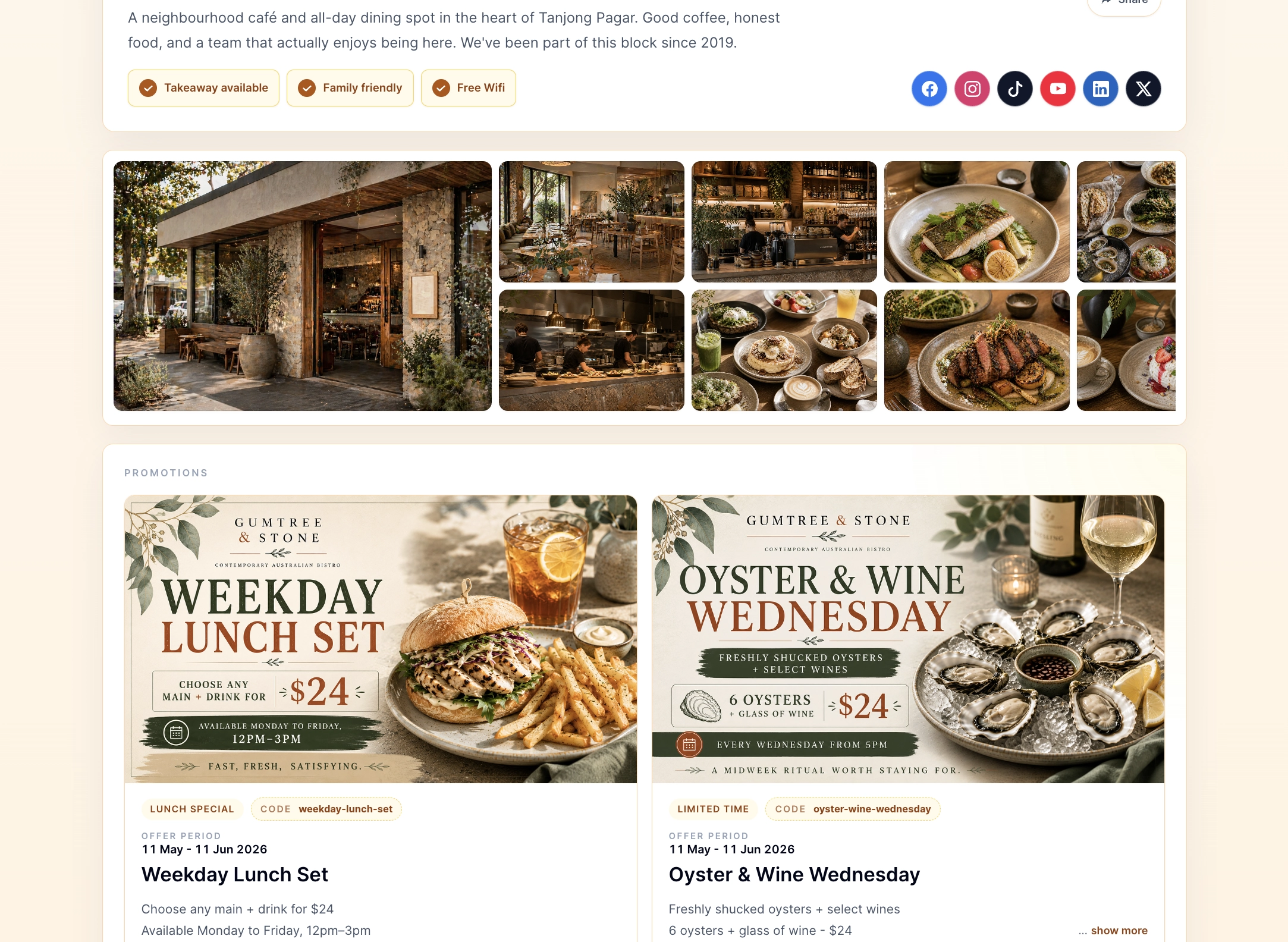
Give companies a hosted public page with curated themes, hours, contact links, photos, menus, social handles, current offers, and booking actions when bookings are enabled.

Plan smarter

Scheduling that sees cost, coverage, and constraints.

Build the restaurant work schedule from operating hours, sales guidance, booking demand, department coverage targets, leave, staff capacity, and overtime rules. Then let Autofill and templates reduce the repetitive work.

Operating-hours setup by week
Sales target and revenue-per-employee guidance
Booking demand indicators by day and hour
Department/day coverage quotas
Saved templates with archive and restore
Coverage-first Autofill with cost scoring

Autofill result

54 shifts added

Complete

54/54

coverage

0h

overtime

20.2%

labor cost

Roster Sync Pro schedule before AutofillBefore Autofill
Roster Sync Pro schedule after AutofillAfter Autofill

Saved templates

One good week becomes the next week faster.

Managers can preserve a proven roster as a blueprint, then apply it during setup when the next similar week arrives.

Capture operating hours, sales guidance, quotas, and planned shifts
Apply known weekly rotations without rebuilding the roster
Keep time off protected when a blueprint is applied
Roster Sync Pro apply saved template blueprint
Roster Sync Pro save schedule template modal

Run the week

Live operations stay tied to the approved plan.

Once the roster is live, the system keeps attendance, time off, daily sales, booking demand, and manager edits in the same timesheet context.

QR attendance

Clock records are tied to scheduled shifts, with safeguards for overlap, open records, future times, and rapid toggles.

Live timesheets

Managers can review entries, adjust attendance, add sales, and inspect schedule activity while the week is running.

Time off in context

Leave requests update balances and show up in the schedule, including full-day and half-day handling.

Daily sales entry

Sales can be entered from desktop or mobile and compared against planned targets and labor cost.

Roster Sync Pro live timesheet with attendance and sales controls
Roster Sync Pro attendance table
Roster Sync Pro store QR check-in screen

Data Export Center

Exports that behave like an operations workspace, not a CSV afterthought.

Starter includes essential CSV exports for basic record access. Operations and Scale unlock Data Export Center, while Payroll Handoffs gives finalized weekly payroll review, direct downloads, and audit links for source-of-truth checks.

Choose employees, date range, export type, file format, and columns
See whether rows came from finalized records or live data where supported
Use Payroll Handoffs for finalized weekly downloads and external audit links
Request CSV files or Excel workbooks in the background and track them in Downloads
Save presets that remember filters and selected columns across export types
Schedule monthly report generation without sending sensitive attachments
Let company owners see export request details without opening the files

CSV + XLSX

file formats

Presets

filters and columns

Monthly

scheduled reports

Roster Sync Pro Data Export Center with downloads, saved presets, and scheduled report navigationExport workspace
Roster Sync Pro Data Export Downloads page
Downloads
Roster Sync Pro saved Data Export presets page
Saved presets
Roster Sync Pro scheduled Data Export reports page
Scheduled reports
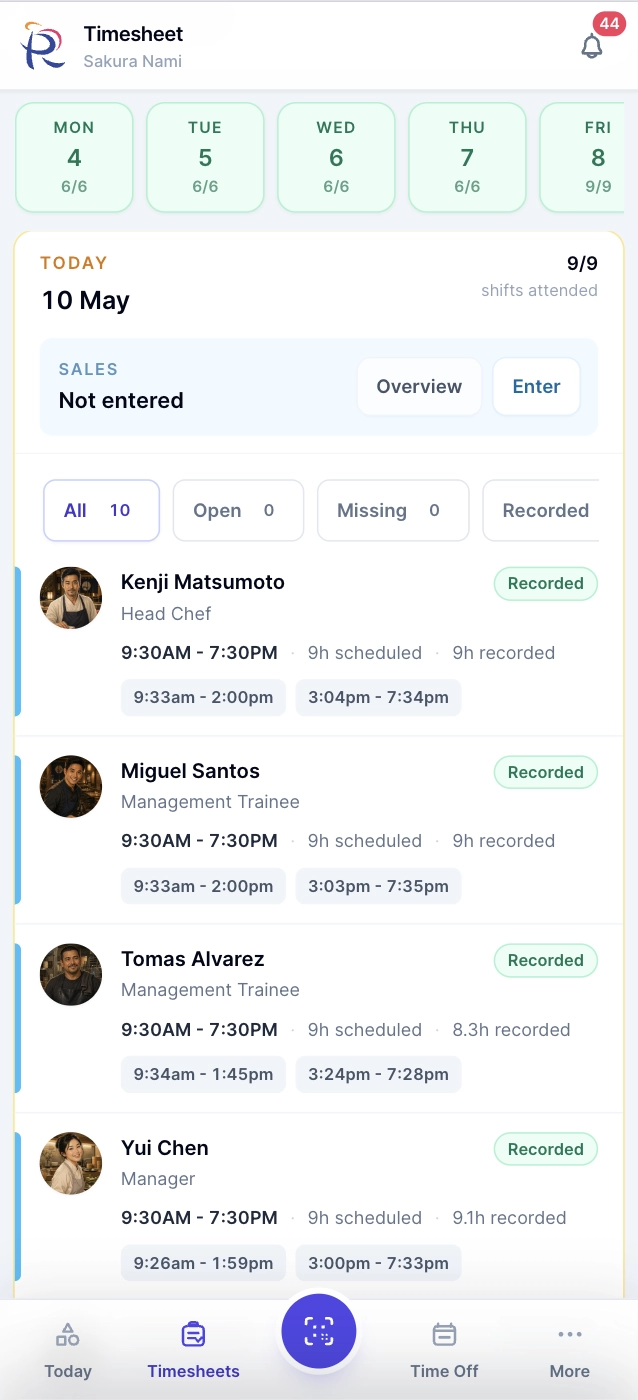
Roster Sync Pro mobile personal Today view
Roster Sync Pro mobile timesheet approval

Mobile companion

Work happens where the team is.

Mobile focuses on the away-from-desk tasks that matter: today view, clocking, schedule details, attendance exceptions, time off decisions, daily sales, booking operations, action items, staff lookup, notifications, and setup status.

Today and My Week
Clock screen and Store QR
Timesheet entry details
Manual clock records
Team time off decisions
Booking queue and contact actions
Staff and activity details
Notifications and action queue

Control and reporting

Delegate work without losing the record.

Permissions, approvals, activity history, financial visibility, finalization, amendments, exports, and reporting help owners keep control while managers run the floor.

Schedule approvals

Separate schedule editing from schedule sign-off, with proposal decisions and approved-plan snapshots.

Finalization and amendments

Lock the final timesheet, email recipients, and use versioned amendments on Scale when corrections are needed.

Financial visibility

Restrict wage-sensitive labor cost, sales-after-labor, and efficiency metrics to authorized users.

Payroll handoff and exports

Review finalized weekly payroll data, download handoff files, send audit links, request broader exports, and give owners export request visibility.

Roster Sync Pro schedule approval decision
Roster Sync Pro finalized timesheet amendment checks
Roster Sync Pro team performance leaderboard

Trust and control

Control is built into the process.

RSP is designed for teams where schedule edits, wage-sensitive views, approvals, billing actions, and final records need clear ownership.

Detailed access

Separate Schedule & Attendance, Bookings Management, Financial Visibility, Billing Management, staff administration, leave, approvals, and Access Control permissions.

Protected sign-in

Two-factor verification support helps protect owner and manager accounts before they reach work data.

Traceable decisions

Approval decisions, approved-plan records, finalization, amendments, and important activity history keep the week reviewable.

Billing clarity

Stripe-hosted checkout, payment methods, invoices, plan changes, cancellation, and reactivation keep subscription actions controlled.

Public Profile

A customer-facing page that stays current without another website project.

Companies can publish a branded visitor page with curated themes, hours, contact actions, booking actions, menus, photos, social links, visitor details, and limited-time offers from the same workspace they use to run the team.

Standard and premium theme options
Desktop and mobile visitor pages
Limited-time offers and specials
Promo codes and offer terms
Menu and media presentation
Contact, directions, share, and booking actions
Business details managed from RSP
Roster Sync Pro Public Profile with customer-facing offers

Who it is for

Built for businesses where every shift affects margin.

Food & beverage groups
Retail teams
Logistics and warehouse operations
Field service businesses

See how the weekly operating loop fits your team.

Start with the core tools, then add automation, reporting, and stronger controls as your team grows.

Secure Payments By