
01 / Your team
Operations
Plan the week, keep shifts covered, and understand labor costs. From the first roster to the final timesheet.
Explore OperationsFor restaurants, cafes & F&B groups
Bring your operations, reservations, and payroll together in one place.
One connected workspace for the people behind every service.
A little more room for service
Plan your team's shifts with coverage, leave, and labor costs in view.
Keep reservations and booked covers close to the team serving them.
Review the work, prepare the pay, and publish payslips.
Operations + Reservations + Payroll
Part of the working week for F&B teams including






The restaurant week, connected
Less switching between tools. More clarity for the people running the floor, planning the week, and looking after the numbers.
01 / Your team
Plan the week, keep shifts covered, and understand labor costs. From the first roster to the final timesheet.
Explore Operations02 / Your guests
Welcome online bookings, manage capacity, and see booked covers alongside staffing. Give the floor team a clearer picture of service.
Explore Reservations03 / Your payday
Review pay inputs, process pay runs, and publish payslips. Optional full payroll for Singapore workspaces.
Explore PayrollOperations
Build a roster around the way your outlet works. Reuse a familiar week, see who's available, and keep coverage and labor costs in view before publishing.
Meet your operations workspace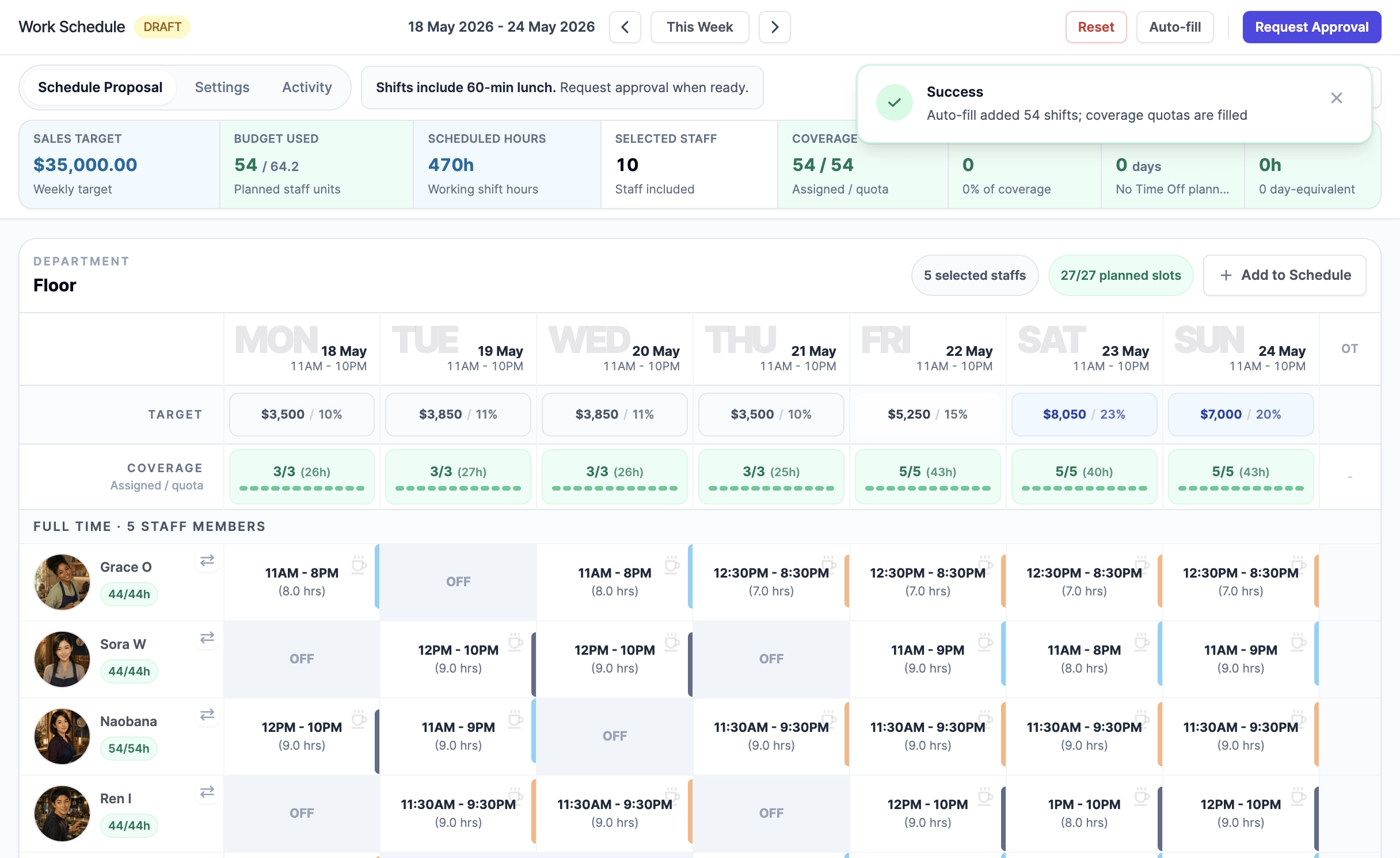
Reservations
Take online reservations and manage capacity, then see booked covers beside staff coverage. Your managers decide how to prepare for a busy Friday or a quieter lunch.
Take a closer look at reservations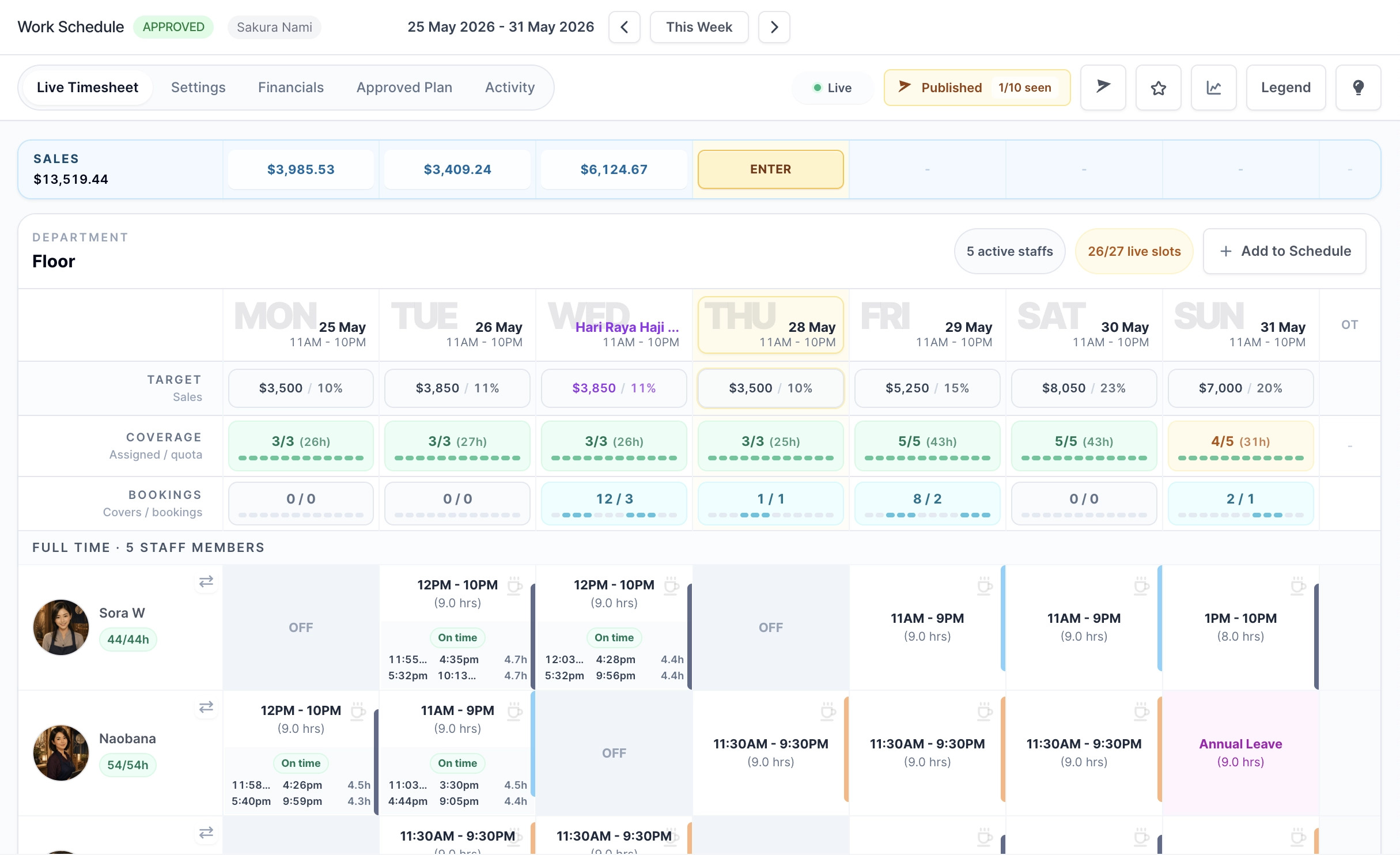
Payroll / Singapore
Bring reviewed pay inputs, pay runs, and payslips into the same product. Keep the work behind each pay period reviewable, with sensitive payroll access kept separate from day-to-day operations.
Explore Singapore PayrollThe payroll workflow
Check the period's pay inputs and supporting work records before processing.
Calculate the pay run, resolve items needing attention, then approve and lock it.
Give staff their itemized payslips and retain the finalized record.
Salary payments and statutory submissions are completed outside RSP.
Picture your next Friday
Check booked covers and plan the shifts your service needs.
Review coverage, approve the roster, and share the plan.
Capture attendance and manage reservations as service unfolds.
Review and finalize timesheets. Use reviewed inputs for payroll on the Singapore payroll plan.
Simple monthly plans
Both plans support up to 100 active staff per outlet workspace. The choice is whether you also need Singapore payroll.
Your everyday foundation
Scheduling, attendance, reporting, and reservations in one place.
S$199 / month
Per outlet workspace
Plan the team, manage bookings, review the week, and keep payroll in your existing system.
Up to 100 active staff. No per-person billing.
With Singapore payroll
The same connected operating workflow with full payroll added.
S$299 / month
Per outlet workspace
Review payroll inputs, process pay runs, and publish payslips alongside your operations and reservations.
Currently available for Singapore workspaces. Salary payments and statutory submissions happen outside RSP.
Prices are per workspace and billed monthly. Each outlet has its own workspace and subscription. The first payment is collected during checkout; there is no free trial.
Singapore workspaces are billed in SGD; other workspaces are billed in USD. Displayed prices are final, with no tax added at checkout. Optional add-ons are purchased separately.

Companion apps / iOS & Android
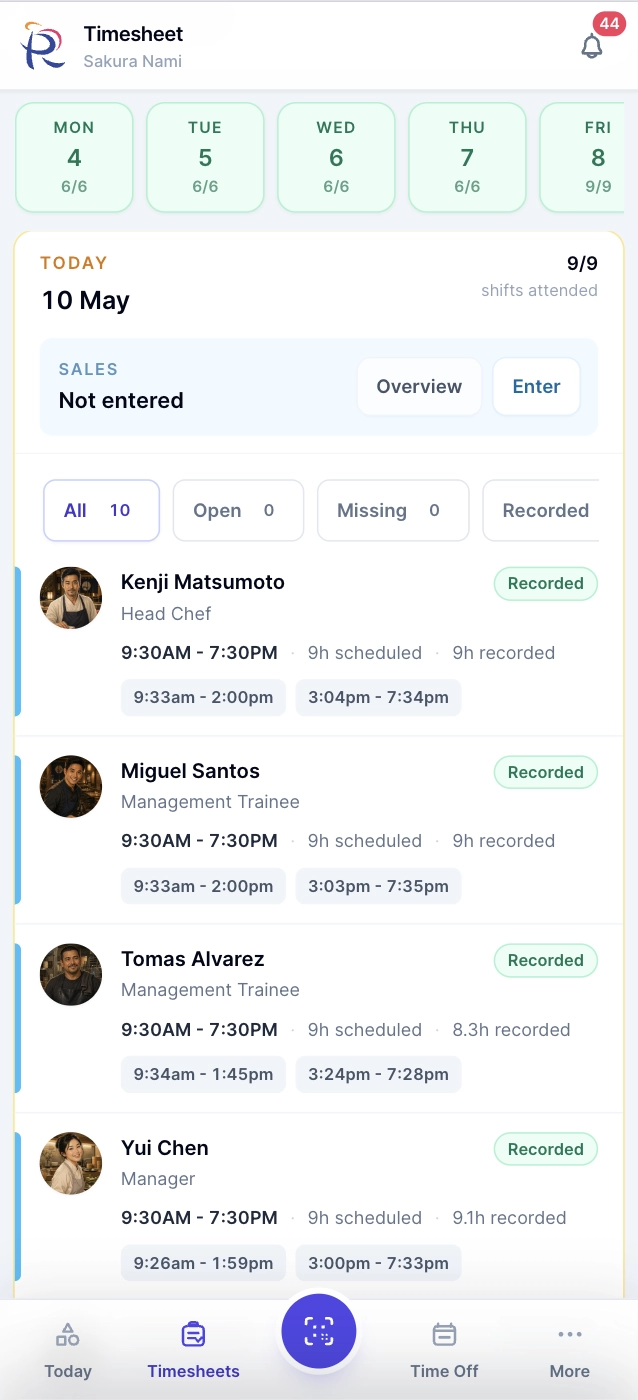
Available on the App Store and Google Play. Keep the everyday tools close, whether you're getting ready for service or checking in with the team.
Use your RSP account to sign in. Mobile access follows your workspace plan and permissions. Full payroll management, schedule building, and administrative setup stay on desktop.
Made for hospitality
Bring operations, reservations, and payroll together. Not sure where to begin? Tell us about your outlet.