
Reservations and staffing
How to Connect Restaurant Bookings With Staff Coverage
Restaurant bookings are not only a front-of-house workflow. They are a demand signal. The useful version is compact: show booked covers and booking timing beside coverage without turning the schedule into a customer list.
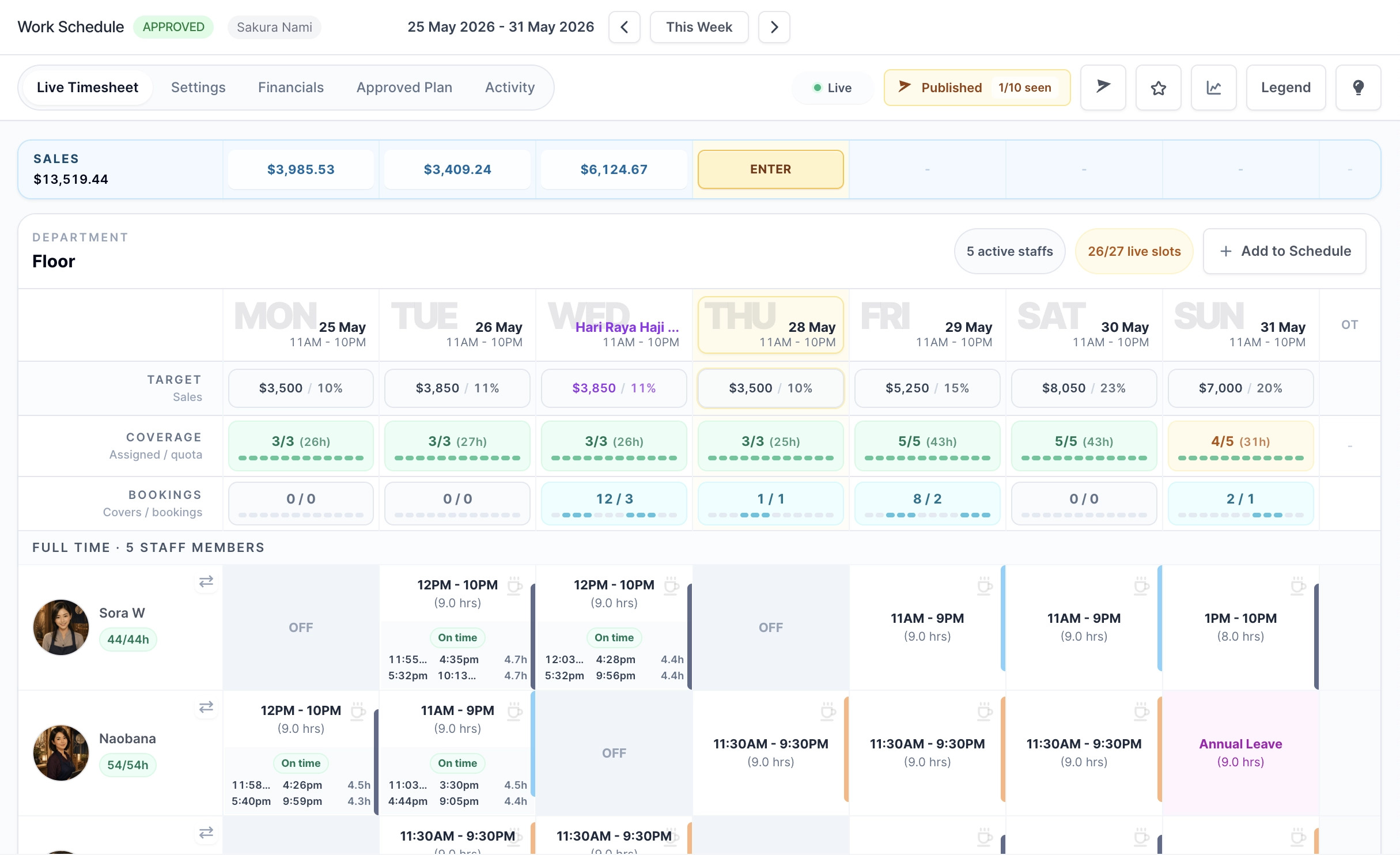
Keep bookings operational, not noisy
A schedule calendar is already dense. The best booking integration shows managers when demand exists and how large it is, while keeping names, phone numbers, emails, and notes inside booking-manager surfaces.
- Show total booked covers and booking count at day level.
- Use a compact time-of-day demand bar for booking timing.
- Leave customer details in the booking queue and activity history.
Protect capacity before demand reaches the roster
Reservation demand is only useful if the booking engine respects capacity first. Lead windows, turn time, pacing, holds, blackouts, and exceptions prevent managers from staffing against unrealistic reservations.
- Use capacity rules by slot, day, time window, or party size.
- Hold selected slots while customers complete booking details.
- Keep manual and public bookings in the same operational queue.
Use demand as context, not automation
Booking demand should not automatically rewrite the roster. It should give managers a clear reason to adjust coverage before the schedule is approved or while the live week changes.
- Review booked covers before approving the plan.
- Compare booking-heavy periods with planned staff coverage.
- Use booking reports to improve templates over time.