
Staff scheduling
A roster that makes room for real life.
Plan restaurant shifts with staff availability, leave, coverage, and labor costs in view. Build a useful starting point, then make it your team's week.
Build the week
Start with coverage. Keep cost in view.
Autofill considers coverage gaps, staff capacity, existing shifts, and overtime and labor cost scoring. Managers can review and adjust assignments before approval.
Explore operations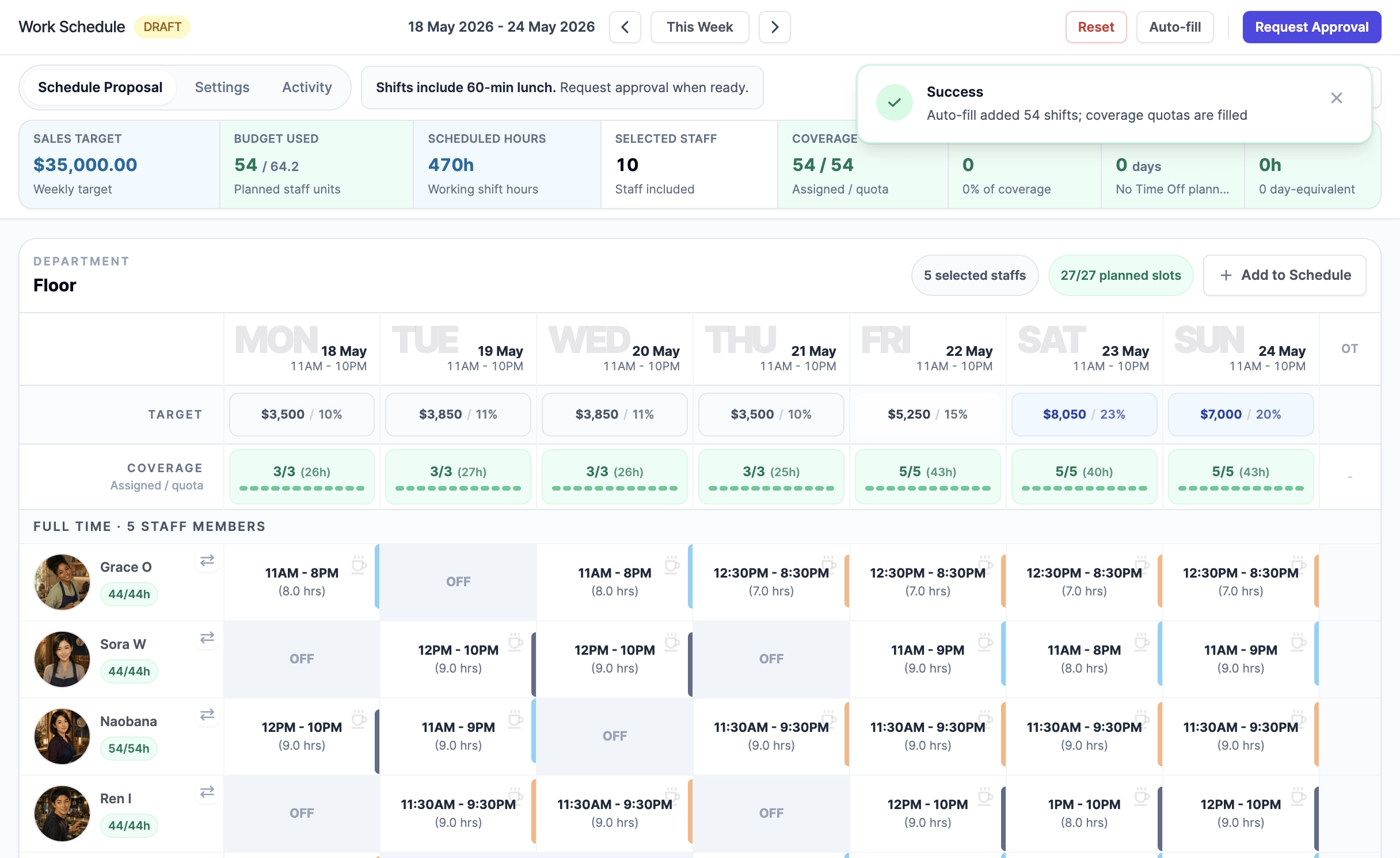
Repeat what works
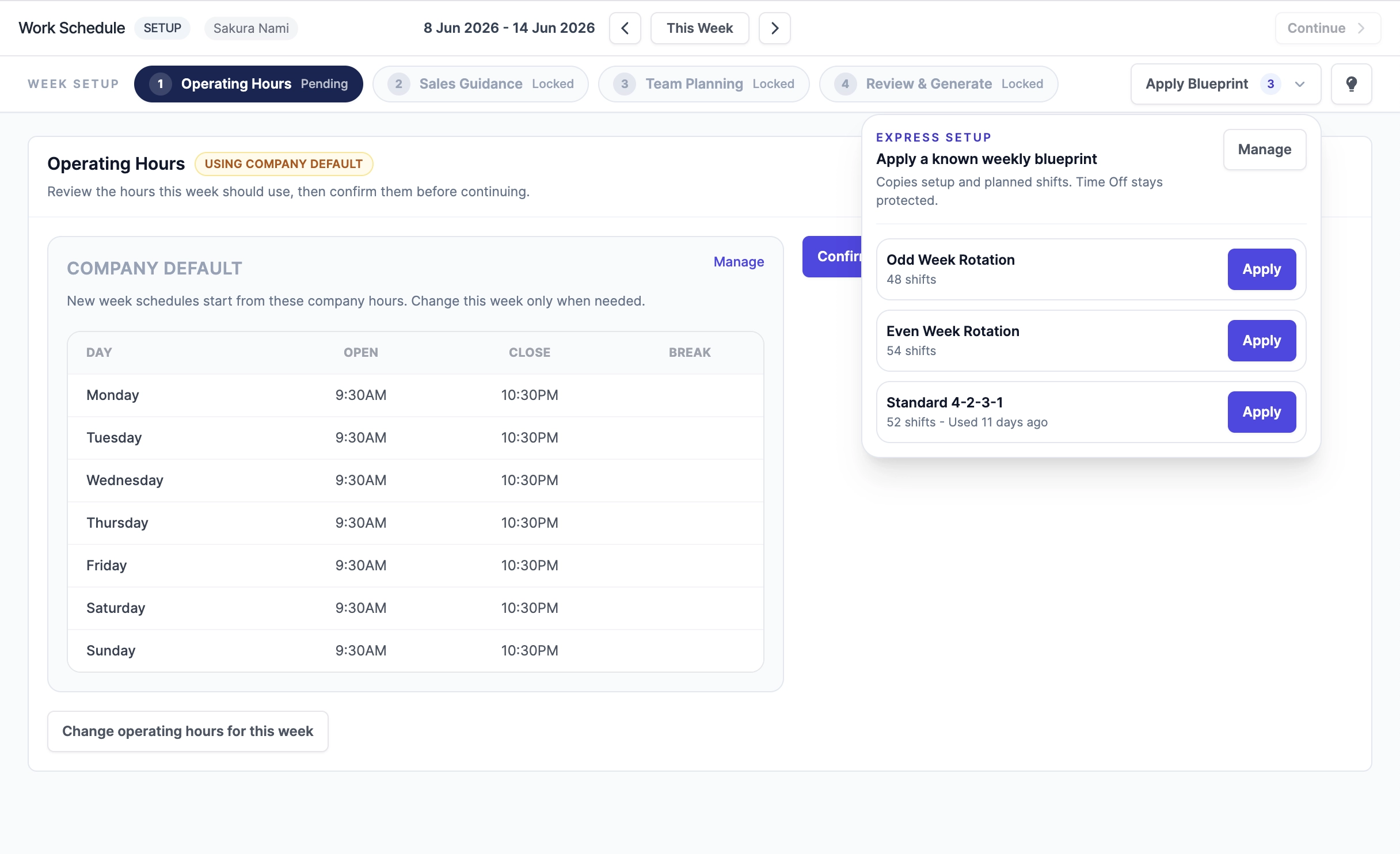
Keep the blueprint, adapt the week.
Save useful schedule templates and apply them to recurring weeks. Review the next week's availability and demand rather than rebuilding every shift.
Stay connected
The plan is only the beginning.
Keep the approved schedule as a baseline while attendance is recorded. Review differences and finalize the week before passing on the records.
Explore attendance review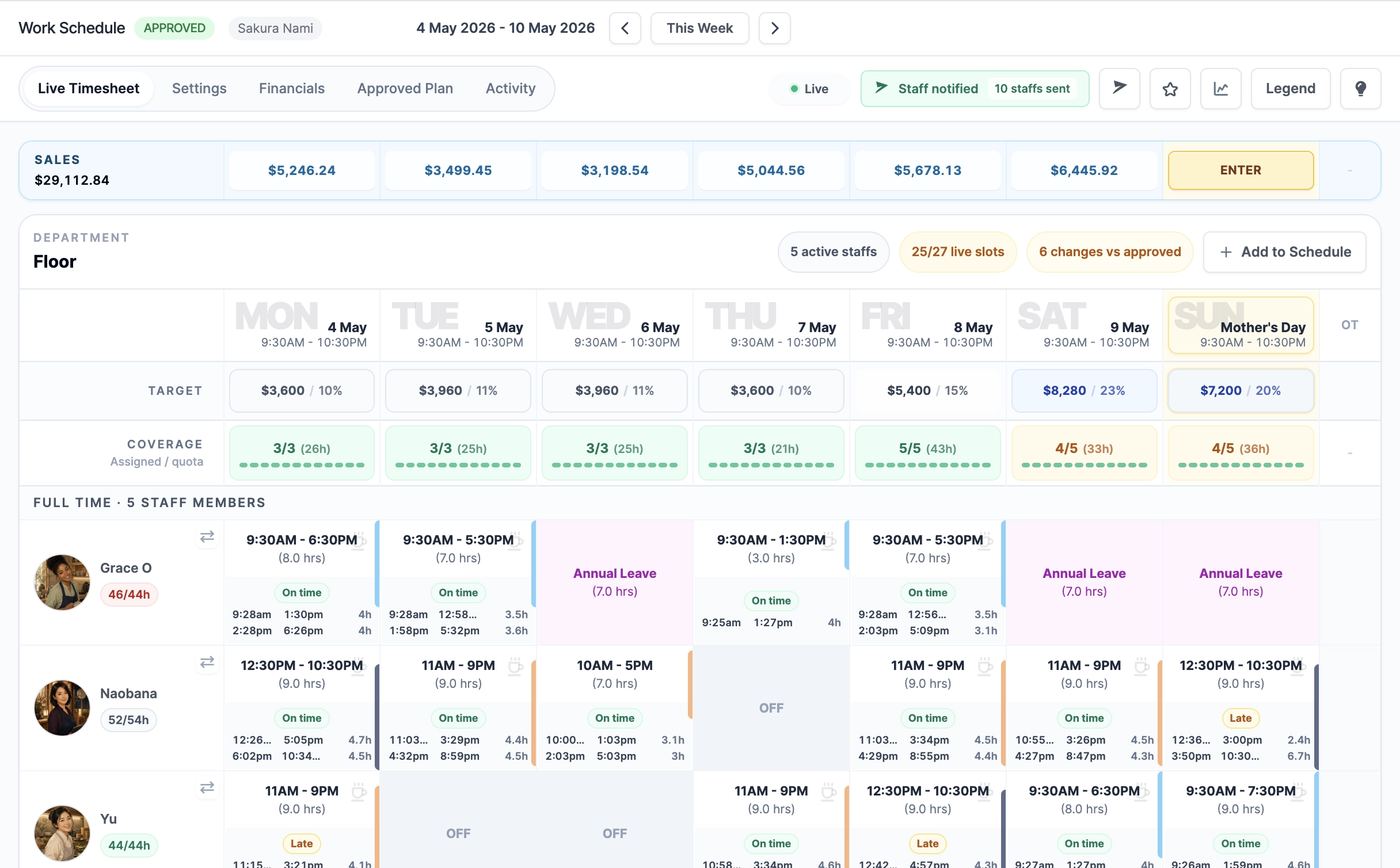
A few useful answers
Good to know before you start.
What makes RSP different from a basic employee scheduling app?
RSP keeps coverage, operating hours, sales guidance, staff capacity, leave, overtime risk, and labor cost visible in the same weekly planning flow instead of treating the roster as a standalone calendar.
Does Auto-fill optimize only for cost?
No. Auto-fill is coverage-first. It considers coverage gaps, existing shifts, staff capacity, full-time and part-time context, overtime, and labor cost scoring before assigning shifts.
Can managers still edit the schedule after Auto-fill?
Yes. Auto-fill gives managers a starting point. They can still adjust shifts, staff assignments, time off context, and weekly setup before approval or live operations.
How do saved templates help recurring weeks?
Saved templates preserve useful week blueprints such as operating hours, sales guidance, an optional Auto-fill plan, and planned shifts. Managers can apply a known pattern without rebuilding similar weeks from scratch.
How does this connect to payroll review?
The approved schedule becomes the planned baseline. During the live week, attendance records and final timesheets can be compared against that baseline before weekly handoffs, loaded labor cost, and supported full-payroll processing use those records.
Can managers schedule without seeing wage-sensitive data?
Yes. Schedule & Attendance access can support planning and live operations, while Financial Visibility controls labor-cost reporting and Payroll Management controls weekly handoffs, full payroll, CPF/statutory details, payslips, payment state, and payroll exports.
Made for hospitality
Make next week easier to run.
Bring operations, reservations, and payroll together. Not sure where to begin? Tell us about your outlet.