
Attendance and payroll review
Less chasing hours. Clearer records.
Keep the approved schedule, clock records, and final timesheet connected. Review what happened before those records become payroll inputs.
Clock and review
See the work behind the timesheet.
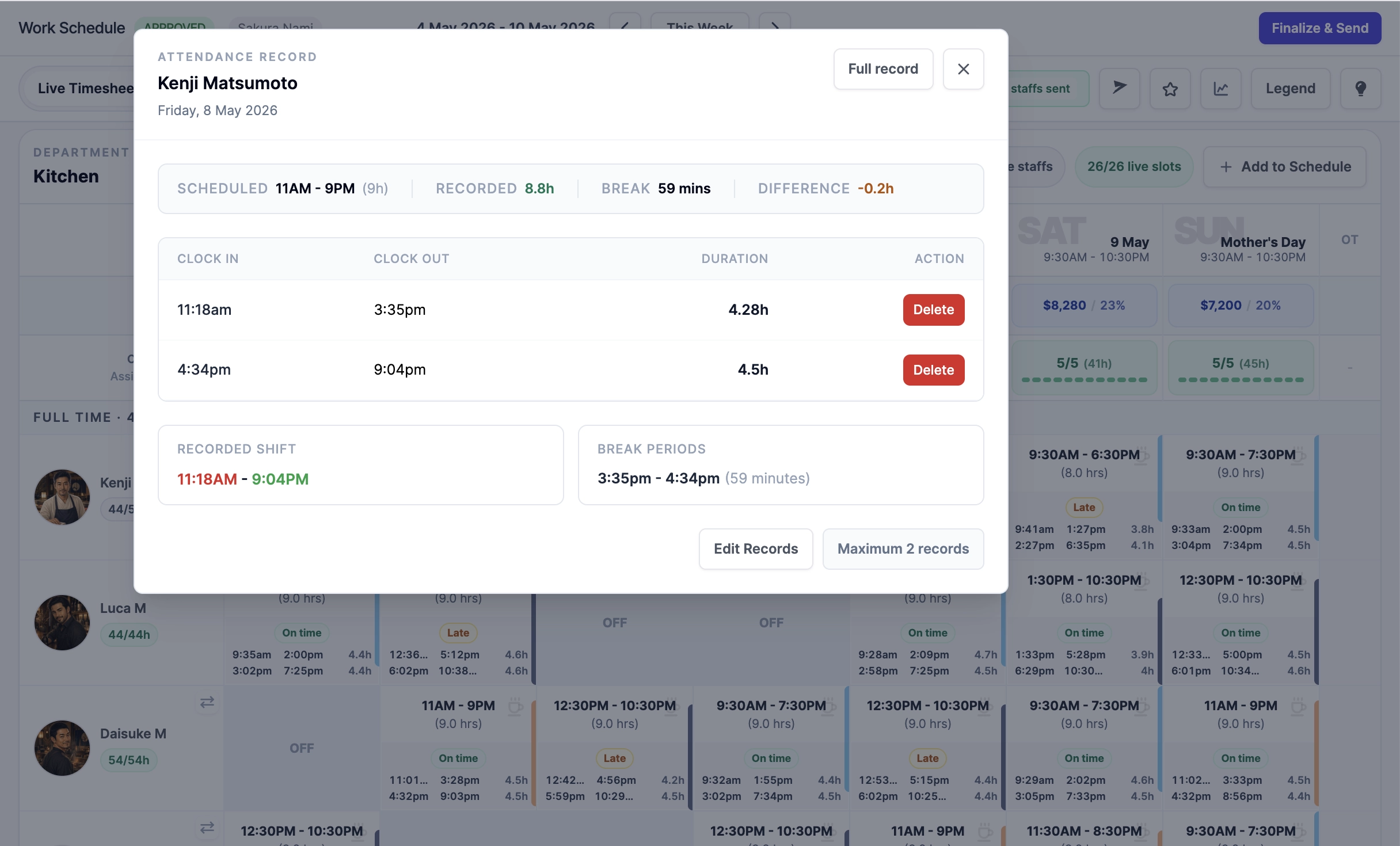
Capture QR attendance and inspect clock-in, clock-out, and break records. Give managers the detail they need to resolve missing or incorrect entries.
Finalize
Close the week with a clear record.
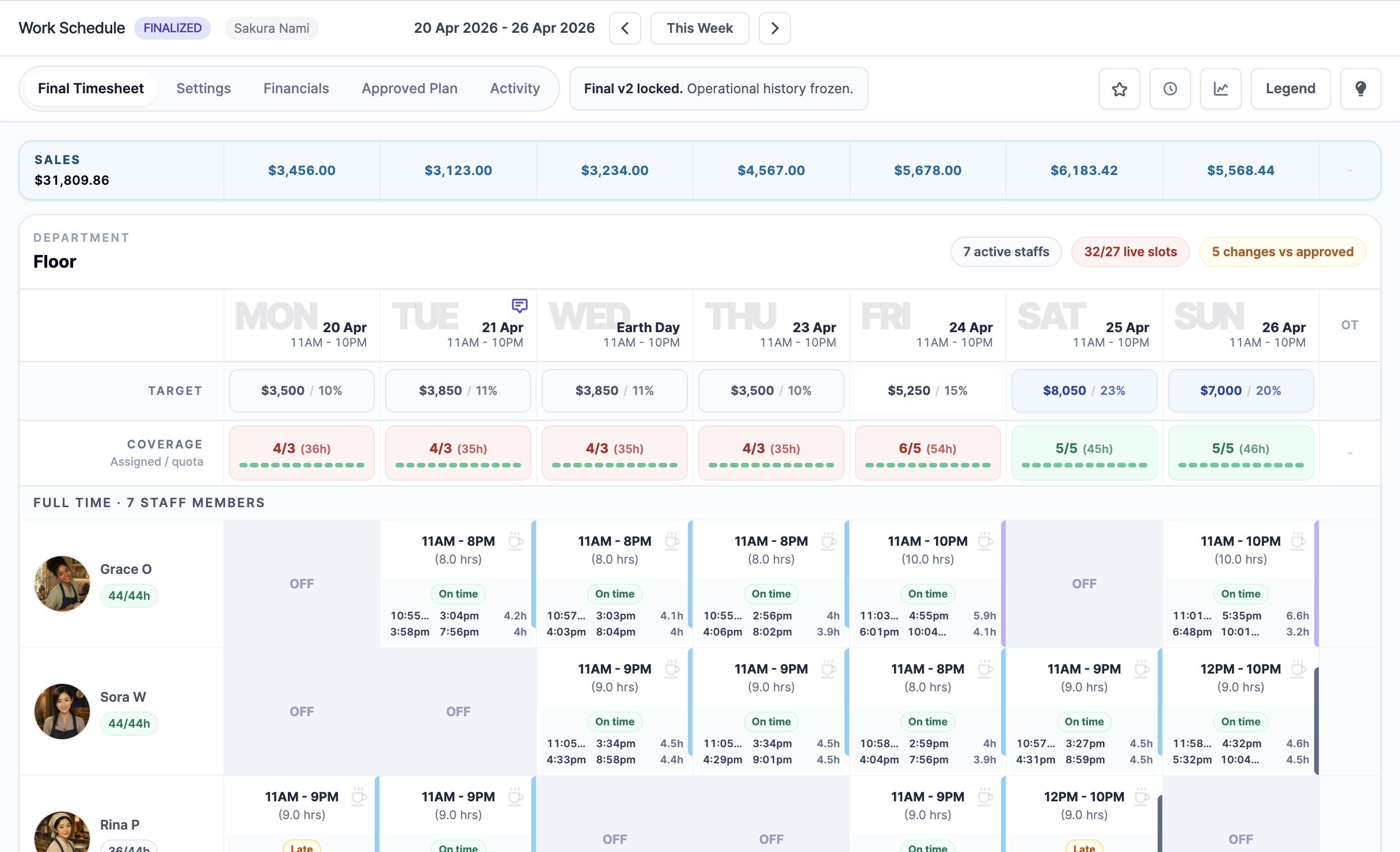
Compare recorded work with the plan and resolve outstanding checks before finalizing. Later corrections follow the amendment workflow rather than silently changing the final record.
Prepare payroll
Use the records in the way your team needs.
Keep payroll elsewhere and use handoffs and exports, or add Singapore payroll to review inputs, process pay runs, and publish payslips in RSP. Data Export Center contains payroll inputs, not finalized pay-run results.
Explore full payroll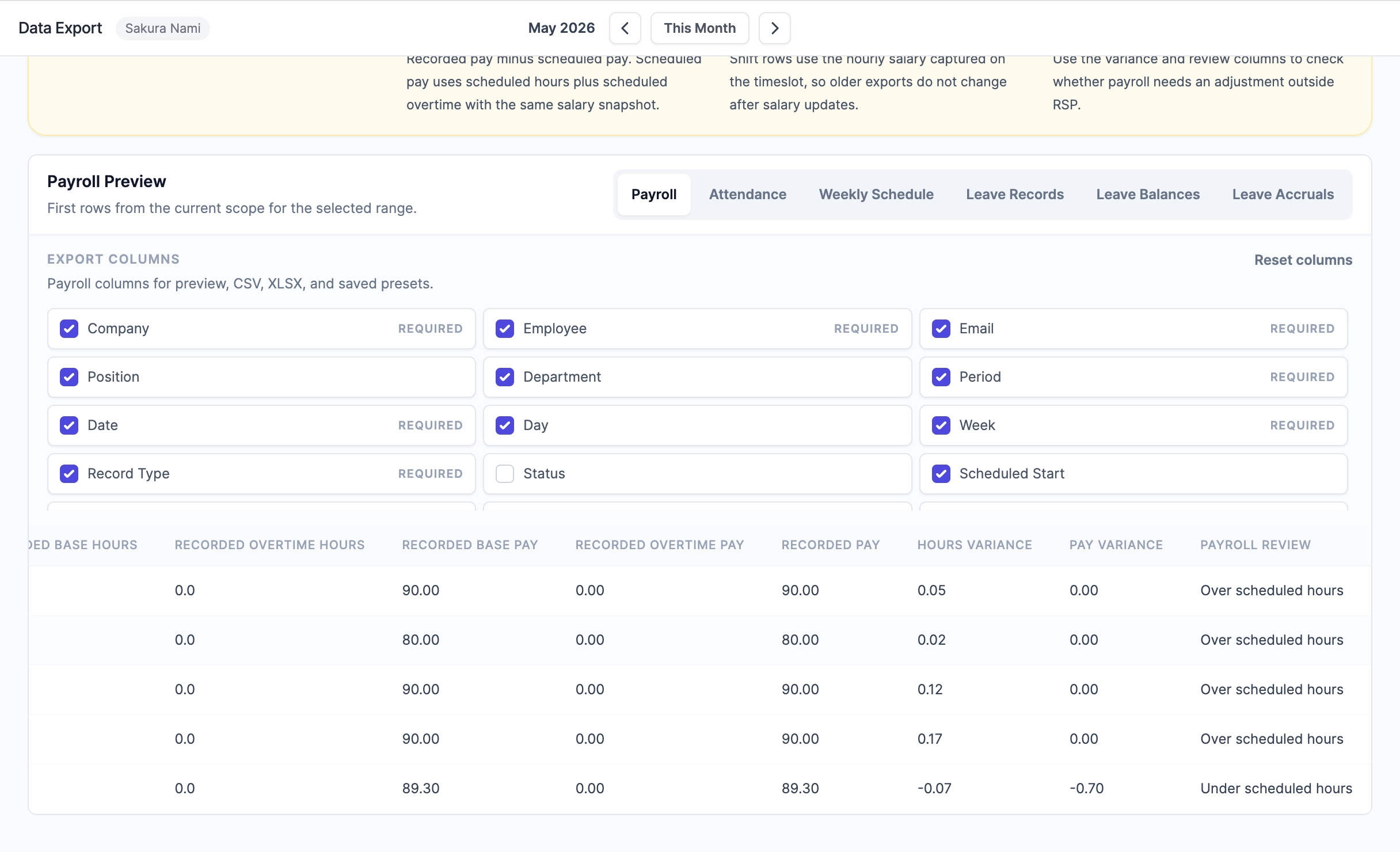
A few useful answers
Good to know before you start.
What does RSP compare during payroll review?
RSP keeps scheduled hours, recorded clock hours, break periods, overtime, public holiday pay policy context, final timesheet status, recorded pay, hours variance, pay variance, and payroll review notes connected through the same process.
Can managers inspect the actual clock records?
Yes. Managers can drill into attendance details to review clock-in and clock-out pairs, durations, break periods, recorded shift time, and the difference from the scheduled shift.
When should a week be finalized?
A week should be finalized after attendance records, missing clock-outs, daily sales, plan differences, and relevant manager corrections have been reviewed. Finalization freezes the final week record.
Can an external payroll reviewer verify the handoff?
Yes. Payroll Audit Links give nominated recipients passcode-protected, read-only access to the completed payroll handoff and download files, with access and download activity logged. Full payroll artifacts stay inside the Payroll Management boundary.
What happens if payroll corrections are needed after finalization?
Both public plans include finalized-timesheet amendments when corrections are needed after the week has been locked. This keeps the correction path explicit instead of silently changing the final record.
How is recorded pay different from scheduled pay?
Scheduled pay follows scheduled hours and scheduled overtime. Recorded pay follows finalized attendance evidence, selected overtime, and company public holiday pay policy, then exposes variance so managers can decide whether payroll attention is needed.
Does RSP submit One-Stop Payroll directly?
No. RSP can prepare manual worksheets and, only after the capability is reviewed and enabled, contribution or IR8A workbook files for download. Managers upload or enter and submit them in the relevant authority portal outside RSP, then record references and outcomes. RSP can track MOM OED obligations, but it does not submit directly, make statutory payments, or describe an unvalidated file as portal-ready.
Does RSP pay employees or create bank files?
No. The employer completes payment outside RSP, then payroll managers record each payment's status, legal paid date, reference, and reviewed evidence. RSP does not generate bank instructions, initiate or move salary money, or reconcile bank settlement.
Can attendance managers avoid seeing salary data?
Yes. Attendance work can be handled through Schedule & Attendance access, while Financial Visibility controls aggregate labor-cost reporting and Payroll Management controls weekly handoffs, full payroll, CPF/statutory details, payslips, payment state, and payroll exports.
Made for hospitality
Make next week easier to run.
Bring operations, reservations, and payroll together. Not sure where to begin? Tell us about your outlet.