
Attendance and payroll
Attendance and Payroll Reconciliation Guide
Payroll reconciliation gets slower when the schedule, clock records, edits, and final files disagree. A cleaner process keeps the approved plan, live attendance, corrections, handoffs, source readiness, and payroll exports connected.
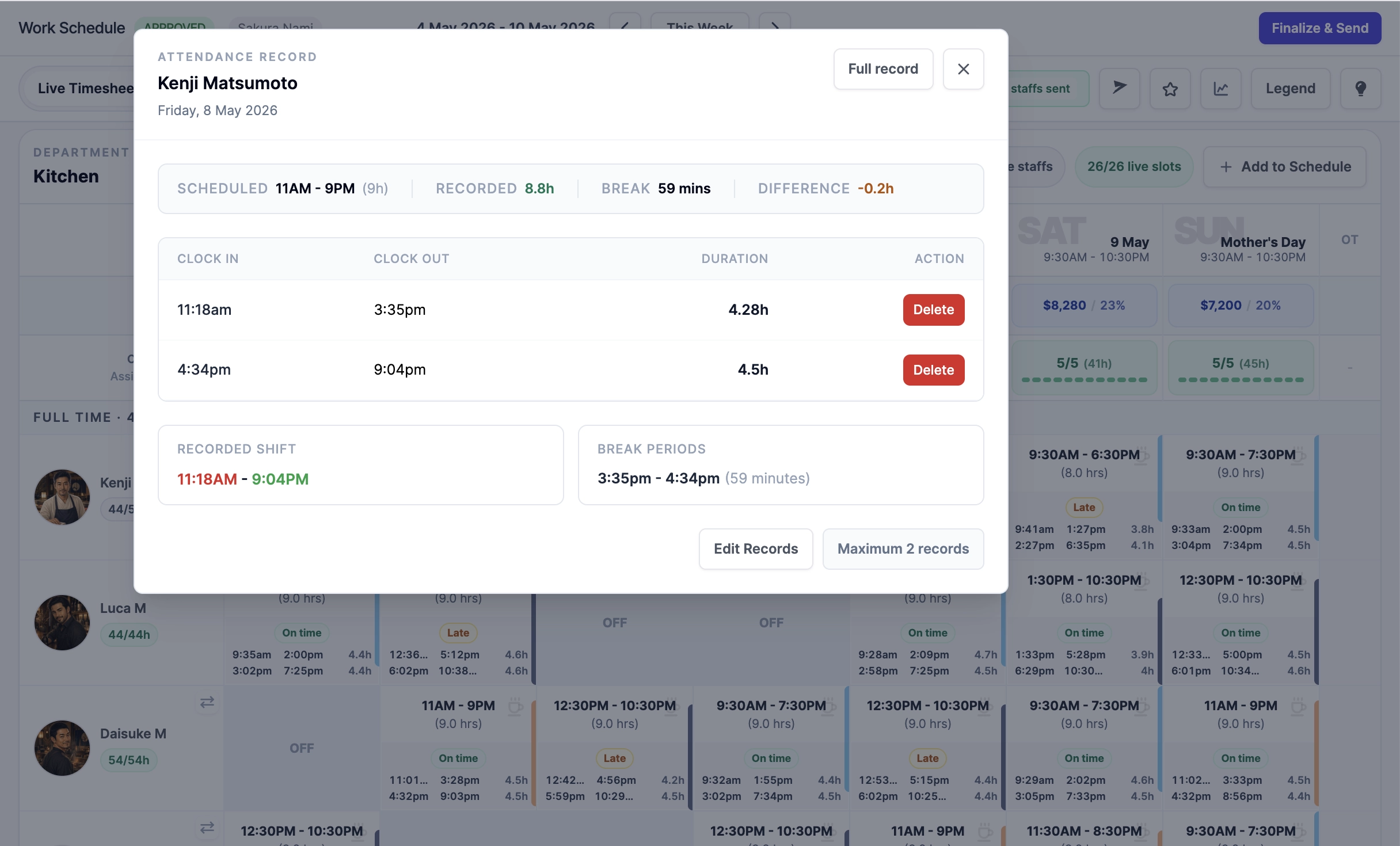
Reconcile against the schedule
Start from the approved roster and compare what actually happened. Missing clocks, open clocks, late arrivals, and manual edits should be visible before handoff files, loaded labor cost, or pay runs are prepared.
- Tie clock records to scheduled shifts.
- Flag missing, open, and edited attendance records.
- Keep manager corrections attached to the timesheet context.
Finalize only after review
Finalization should mark the reviewed payroll evidence, not just close a page. Once final, the timesheet becomes the stable source for handoffs, audit links, loaded labor cost, and supported payroll processing.
- Review attendance exceptions before locking the week.
- Keep finalized records separate from live edits.
- Use amendments when a locked week needs a controlled correction.
Export evidence, not just rows
Payroll exports are more useful when they include source context: scheduled hours, recorded hours, variance, overtime, public holiday indicators, statutory readiness where supported, and audit references.
- Use payroll handoff files for finalized weekly records and Payroll Management for supported full-payroll exports.
- Use reusable export presets for recurring reports.
- Keep owner visibility over export requests without exposing every file.