
Labor cost planning
Restaurant Labor Cost Planning Guide
Labor cost planning is not a month-end spreadsheet problem. It starts while the roster is still editable, when managers can still rebalance coverage, shifts, and overtime.
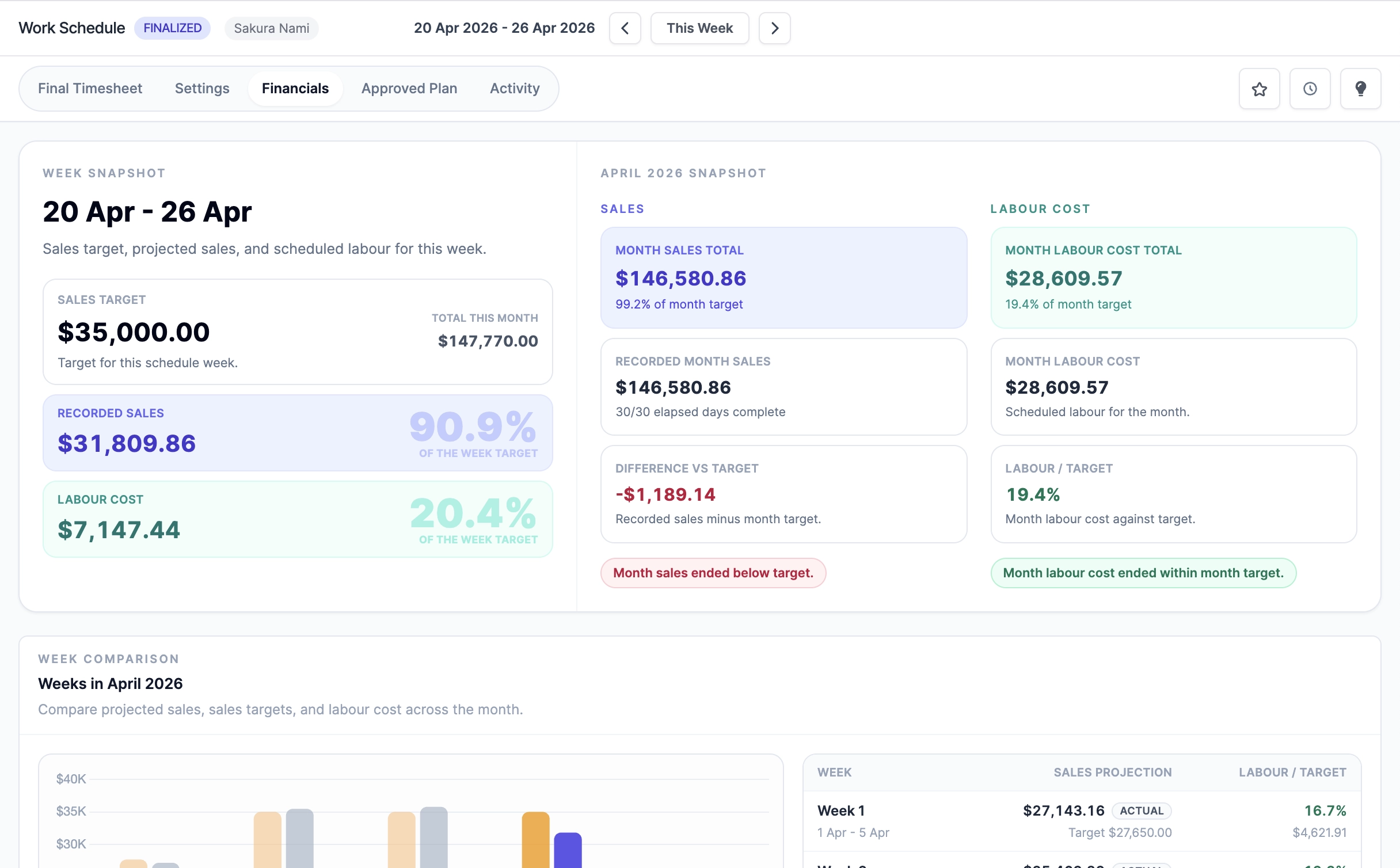
Put sales targets into the roster
Weekly and daily sales targets give the schedule a financial reference point. Managers can see whether planned hours make sense before the team works the week.
- Track daily sales targets beside labor hours.
- Review labor percentage before schedule approval.
- Use actual sales later to compare plan against reality.
Find cost risk before payroll
Overtime, public holiday work, late edits, and extra shifts are easier to control when they are visible in the planning and live-timesheet flow.
- Check overtime while filling schedule gaps.
- Keep public holiday indicators visible for payroll review.
- Preserve changes in activity history and finalization records.
Close the loop after the week
A labor plan only improves when the final timesheet feeds the next planning cycle. Final records, loaded labor cost, exports, and reports should explain what changed.
- Finalize timesheets after attendance and sales review.
- Use finalized source records for handoffs, loaded labor cost, and supported payroll processing.
- Turn proven weeks into reusable templates.