
Approval baseline
Proposal decisions preserve the approved plan before live operations begin.
Schedule for Profit
Build the week with cost, coverage, staff capacity, leave, overtime, and sales guidance in the same planning view, then use Autofill and templates to reduce the repetitive work.
1-click
coverage-first Autofill
Cost
labor impact visible while planning
Templates
reuse proven week blueprints
Planning inputs
RSP treats scheduling as a weekly operating decision, not just a calendar. Managers can plan against opening hours, sales targets, department coverage, staff availability, leave, capacity, and overtime risk before the week is generated.
Autofill
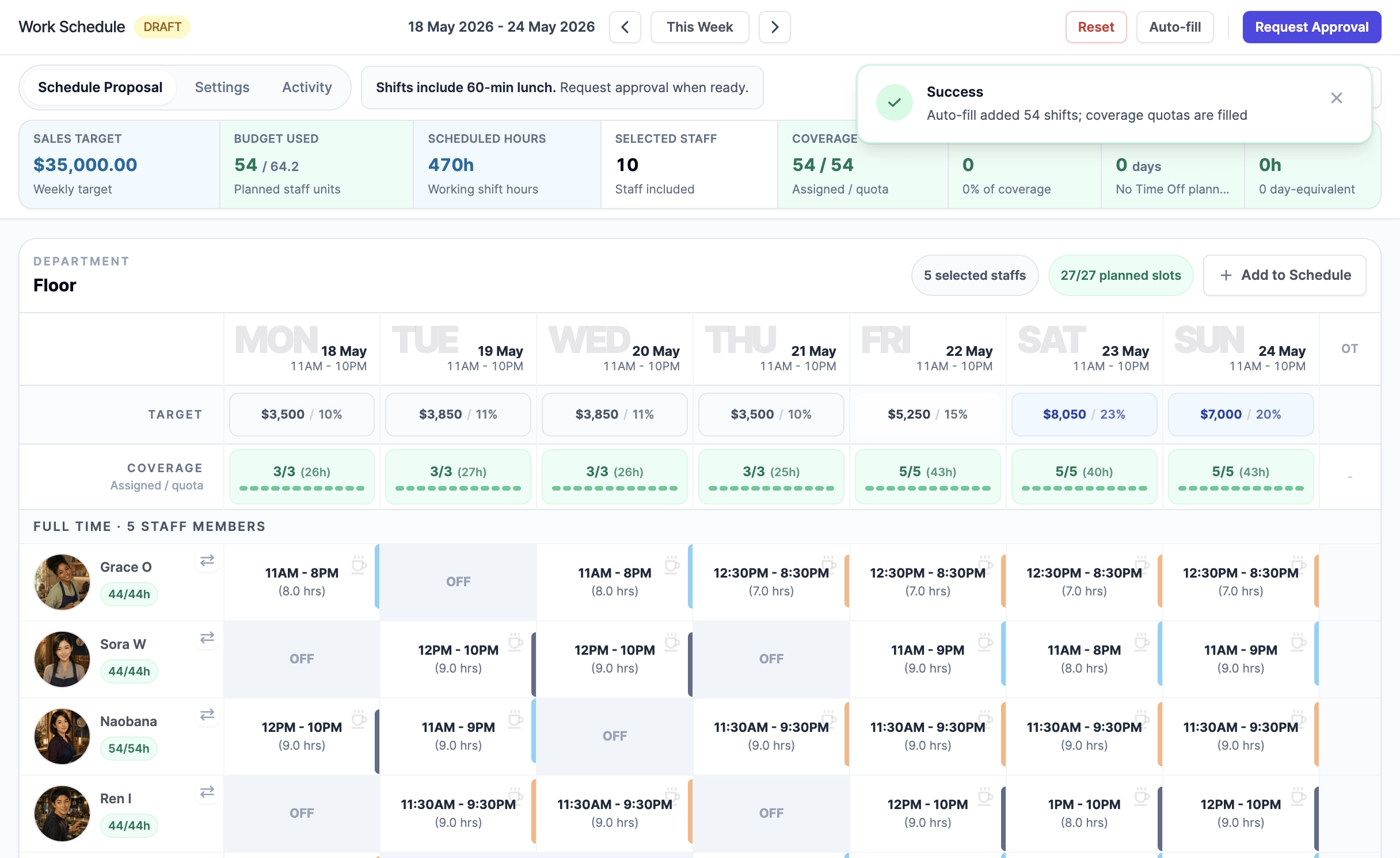
Autofill is coverage-first, but it still considers capacity, existing shifts, full-time/part-time preference, overtime, and labor cost scoring before assigning shifts.
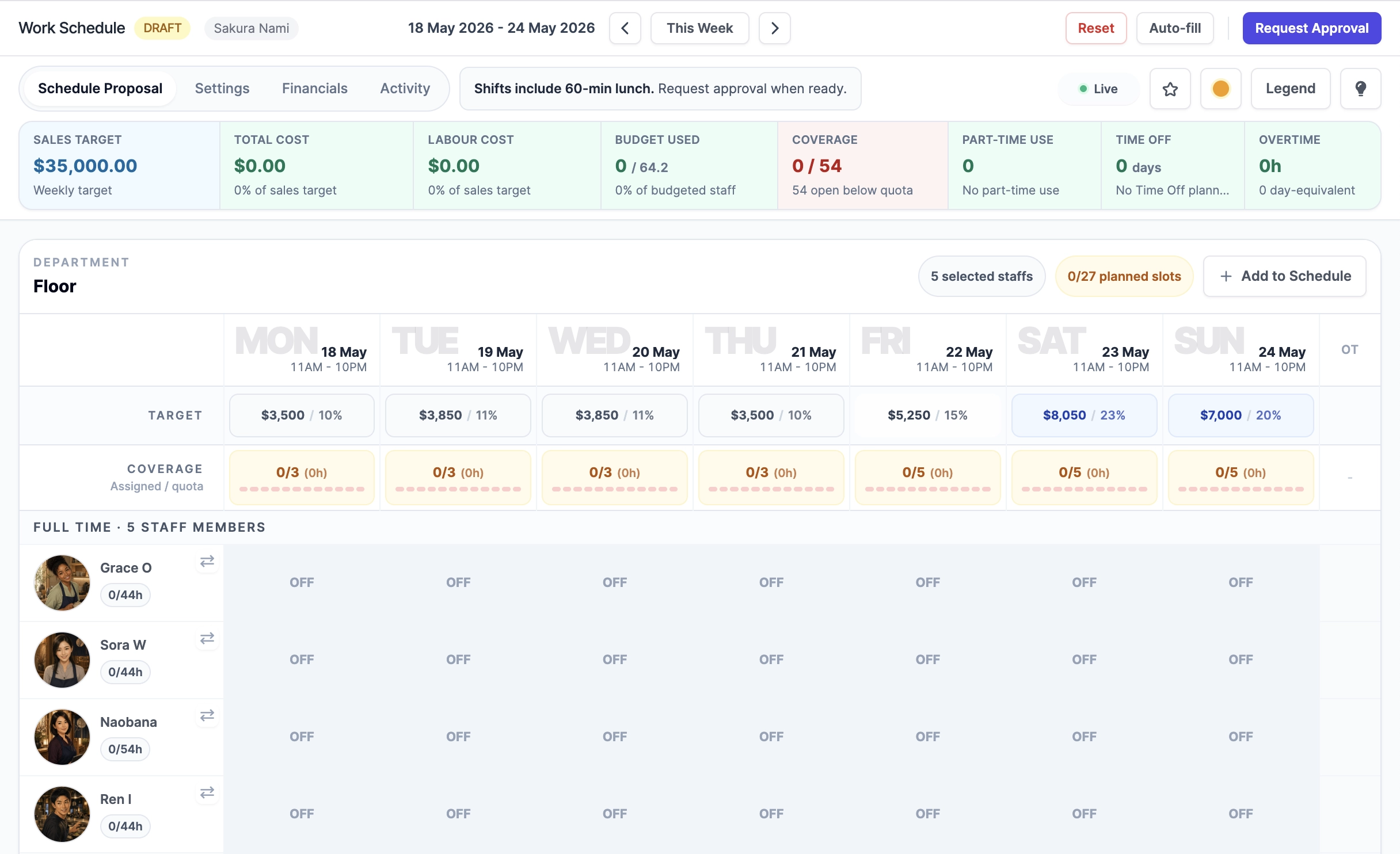 Before AutofillAfter Autofill
54/54
coverage filled
0h
overtime in sample week
20.2%
labor cost in view
Saved templates
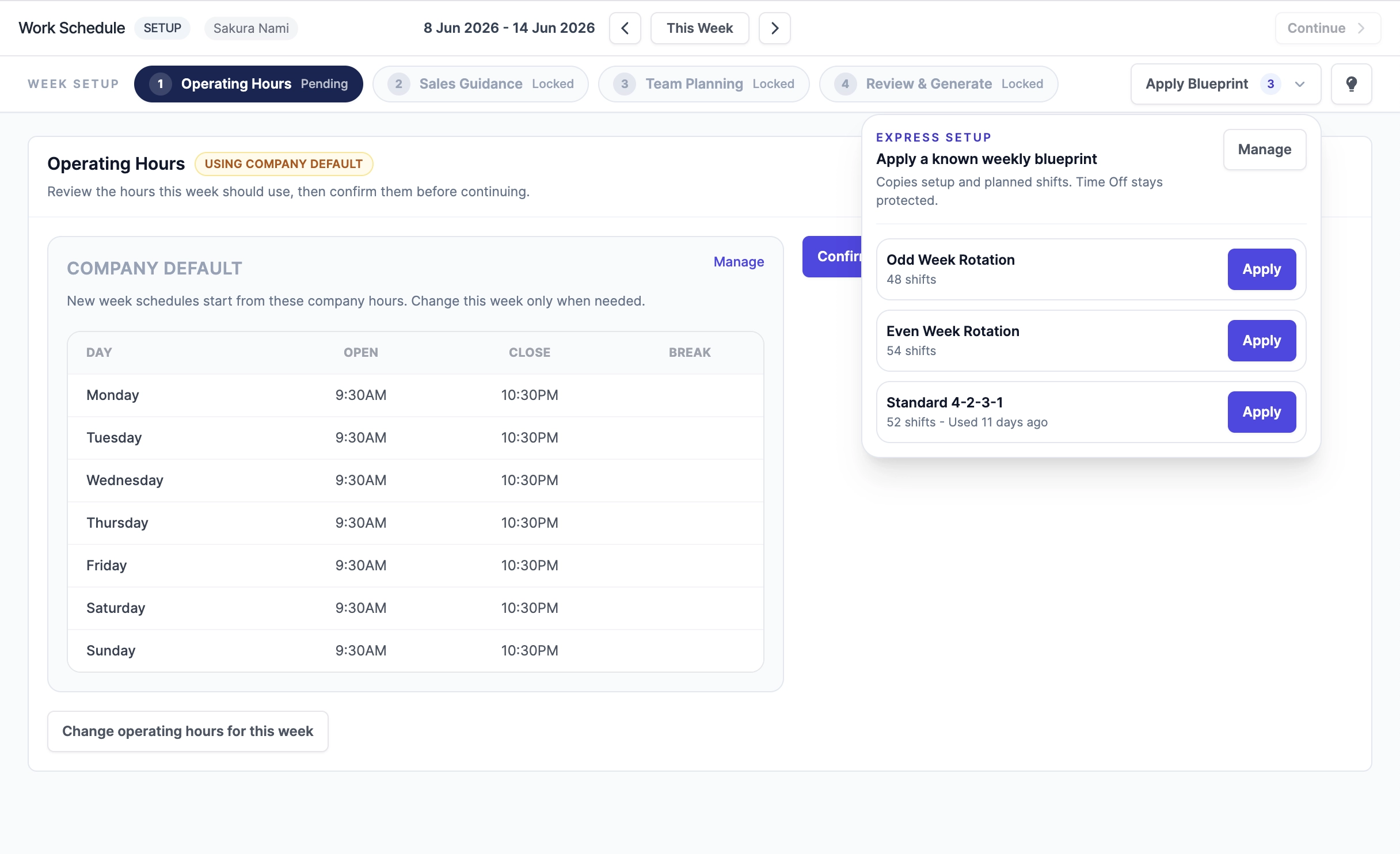
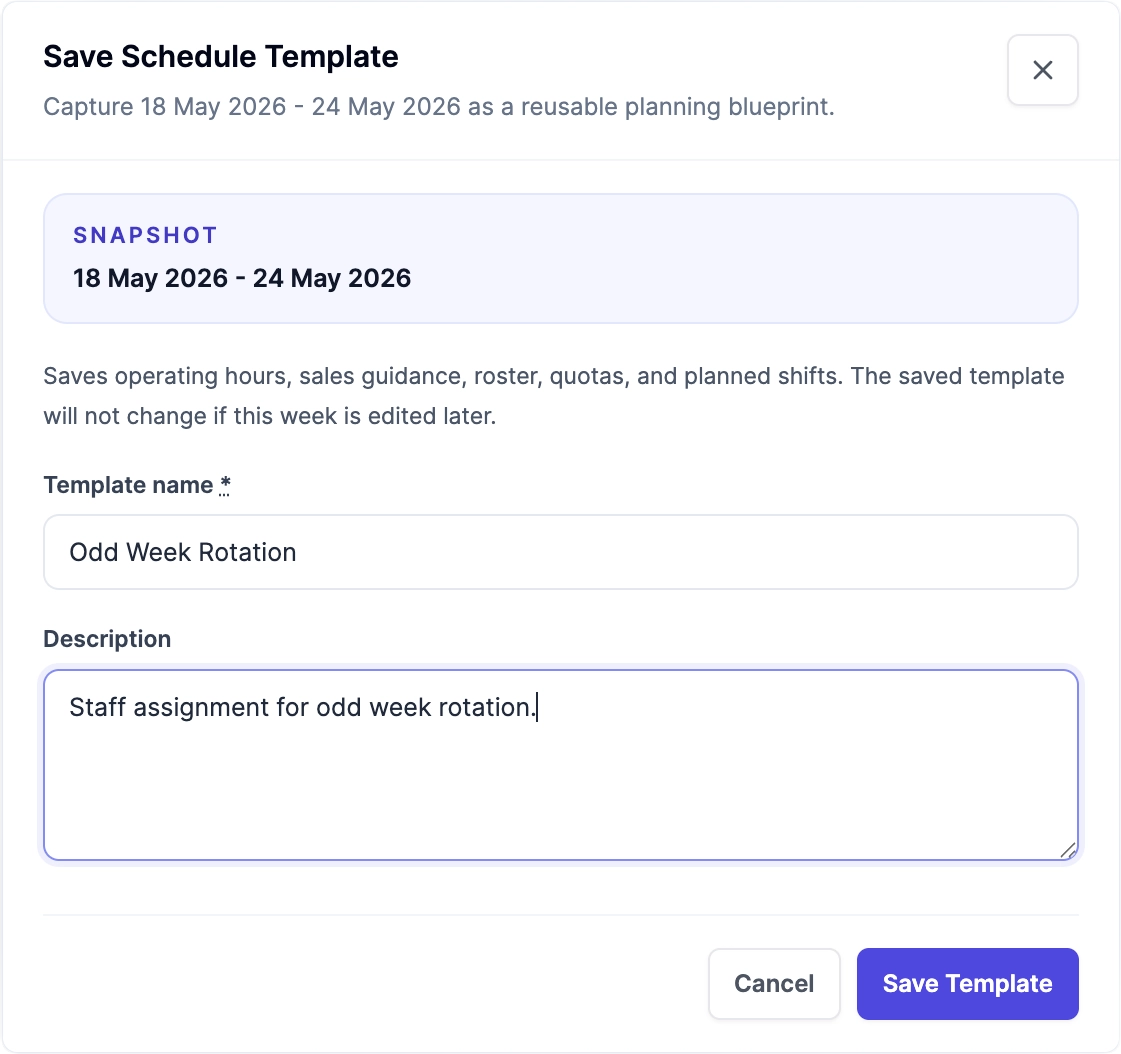
Managers can save recurring week blueprints and apply them again, so familiar staffing patterns do not have to be rebuilt manually. Templates keep the planning context useful while current leave and capacity remain protected.
Plan to final timesheet
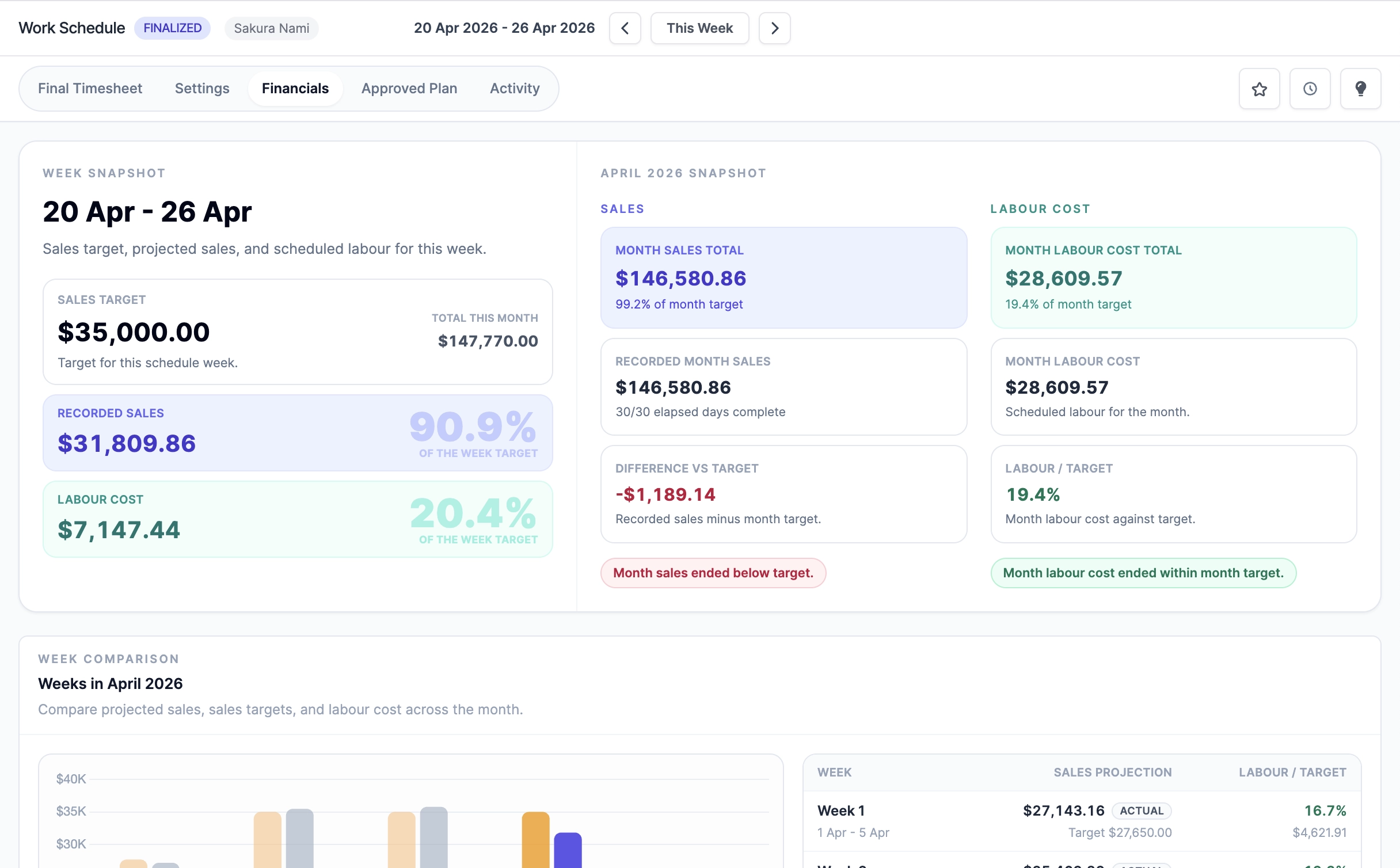
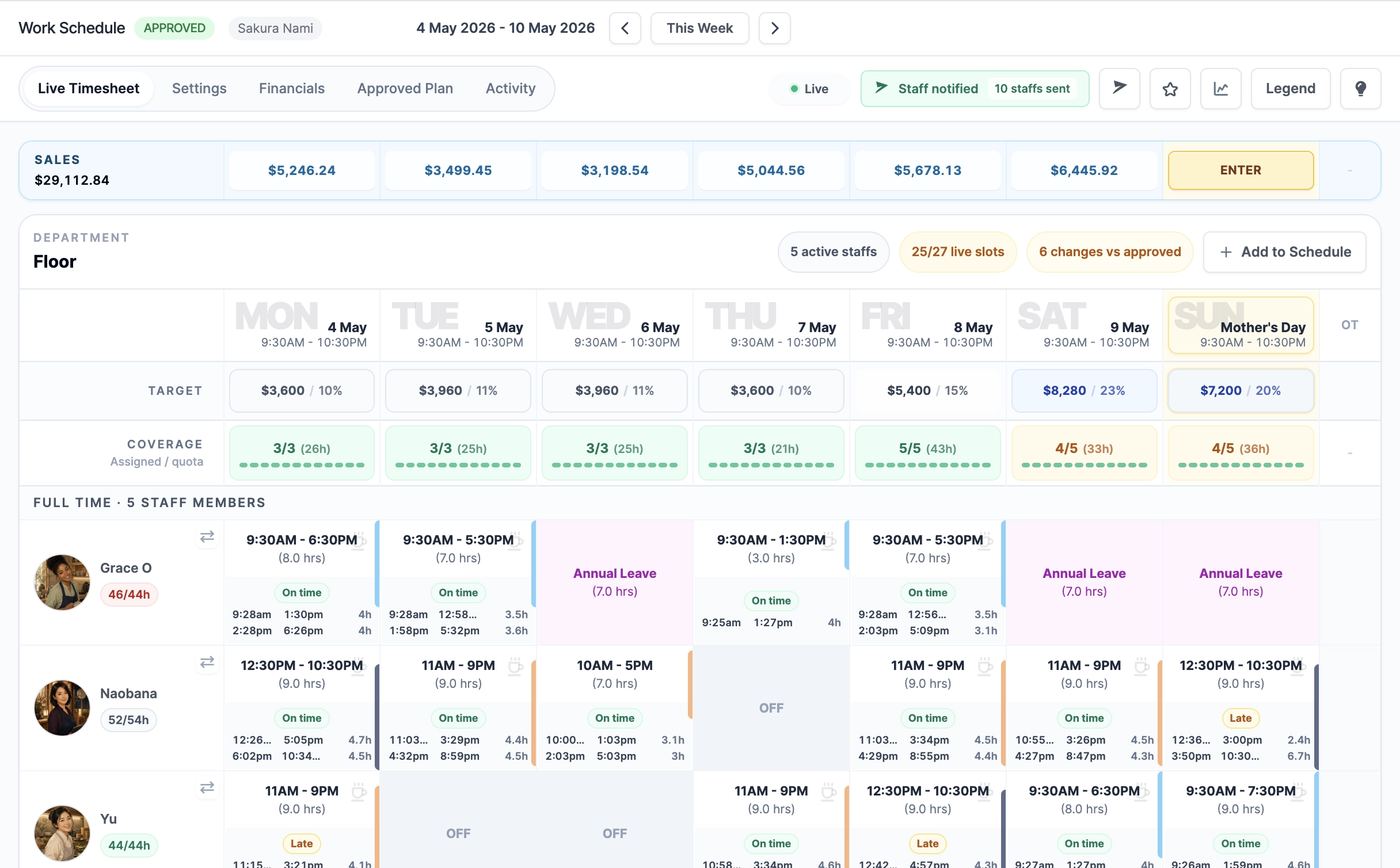
Once the schedule is live, attendance records, daily sales, time off, manager edits, finalization, and amendments stay in the same operating context. That makes the final timesheet easier to verify against the approved plan.
Proposal decisions preserve the approved plan before live operations begin.
Managers can handle real-world attendance, shift, leave, and sales changes in context.
The finalized timesheet locks the week and gives Scale teams a clear correction path when changes are needed later.
Reporting follow-through
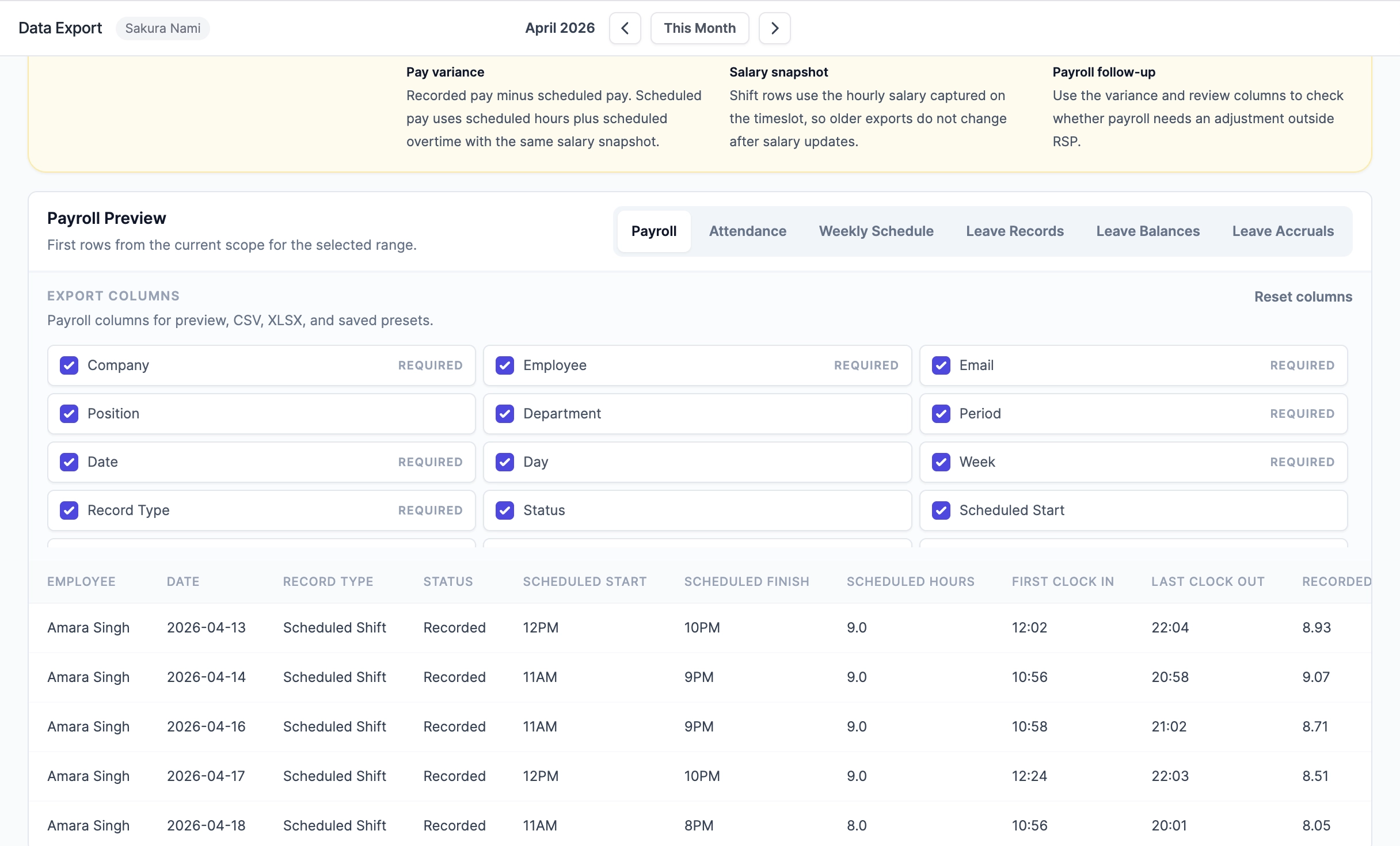
Labor-aware scheduling is strongest when the final records can be audited. Data Export Center helps Operations and Scale teams export payroll, attendance, schedule, and leave files for the same selected period.
Trust and security
RSP keeps access, payroll visibility, export behavior, and billing responsibilities clear so owners can delegate work without handing every sensitive detail to every manager.
Access can be separated across Schedule & Attendance, Financial Visibility, Billing Management, staff administration, leave, approvals, and Access Control.
Wage-sensitive labor cost, recorded pay, overtime pay, and payroll export columns require Financial Visibility instead of routine schedule access.
Data Export requests can show the company, requester, date prepared, company time zone, filters, date range, and selected columns.
Scheduled Data Export reports generate files in Downloads and notify the creator when ready; sensitive files are not sent as email attachments.
Important actions such as export downloads, permission changes, schedule changes, finalization, and amendments are recorded where the process needs a review trail.
Subscription checkout, payment methods, and invoices are handled through Stripe-hosted billing pages, so RSP does not store card details in the app.
FAQ
How RSP handles the planning decisions behind coverage, labor cost, templates, and payroll review.
RSP keeps coverage, operating hours, sales guidance, staff capacity, leave, overtime risk, and labor cost visible in the same weekly planning flow instead of treating the roster as a standalone calendar.
No. Autofill is coverage-first. It considers coverage gaps, existing shifts, staff capacity, full-time and part-time context, overtime, and labor cost scoring before assigning shifts.
Yes. Autofill gives managers a starting point. They can still adjust shifts, staff assignments, time off context, and weekly setup before approval or live operations.
Saved templates preserve useful week blueprints such as operating hours, sales guidance, quotas, and planned shifts. Managers can apply a known pattern without rebuilding similar weeks from scratch.
The approved schedule becomes the planned baseline. During the live week, attendance records and final timesheets can be compared against that baseline before payroll exports are requested.
Yes. Schedule & Attendance access can support planning and live operations, while wage-based labor cost and payroll export columns require Financial Visibility.
Start with the operating core, then use Operations for Autofill, saved templates, approvals, reporting, and Data Export Center.